Connect your computer
Install the Windows companion and pair your Android phone securely with a QR code.
Your AI agents are working. You don't have to watch.
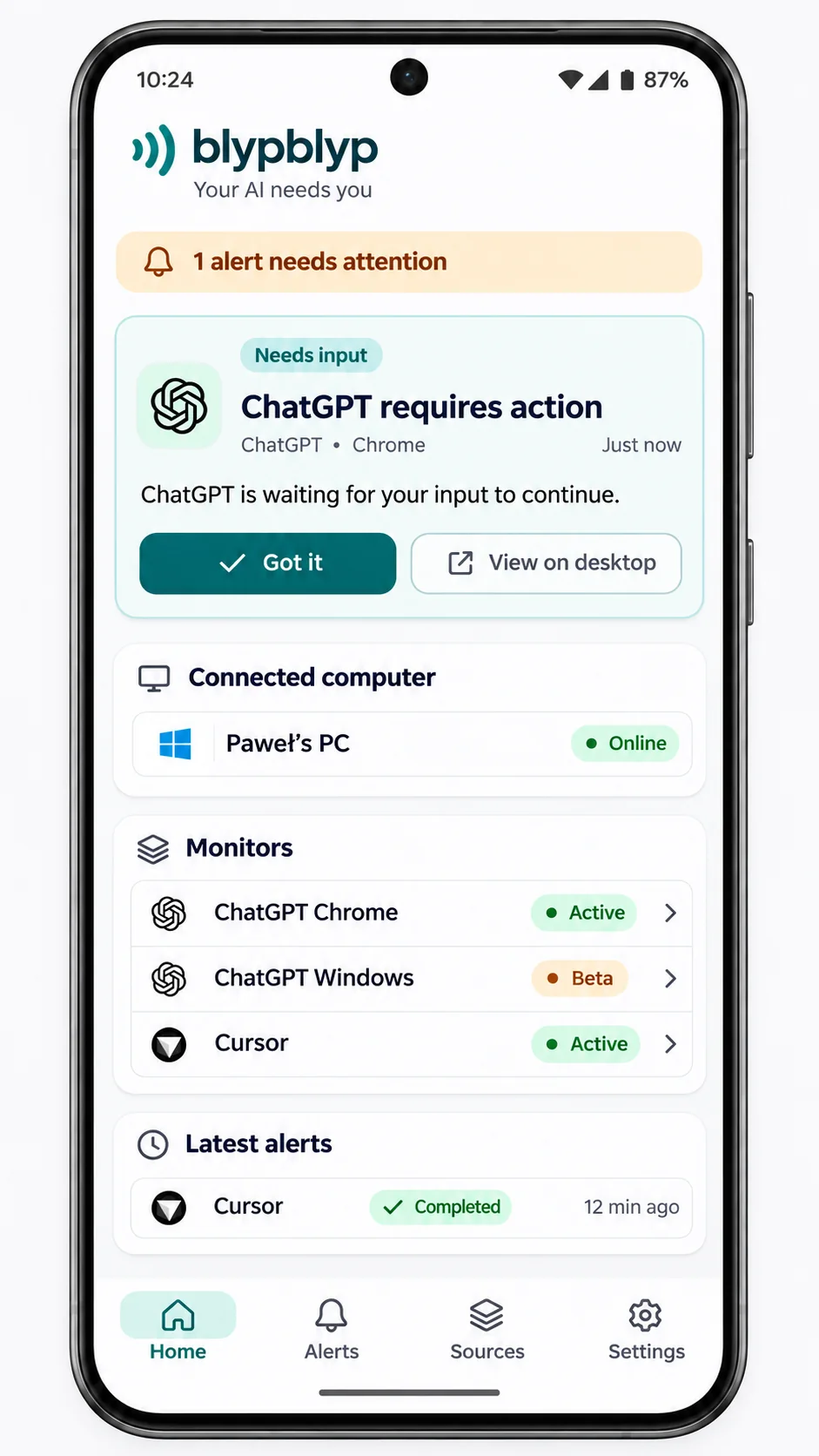
BlypBlyp will notify your phone when ChatGPT, Cursor, Claude Code or Codex finishes a turn, hits a roadblock, or needs your attention — where supported by each integration.
BUILT FOR PEOPLE WHO USE AI TO GET THINGS DONE
Planned for 0.1. ChatGPT Windows support may launch as beta. Integration capabilities depend on technical validation.
Let your agents do the waiting. Get back to your work, coffee, or life.
Install the Windows companion and pair your Android phone securely with a QR code.
Start a task in a supported tool. BlypBlyp watches for meaningful status changes.
Receive a notification when an agent finishes, encounters a problem, or needs you.
Instead of repeatedly checking terminals, browser tabs and editors, BlypBlyp is designed to bring important signals together on your phone.
A monitored task is waiting for input.
BlypBlyp is being designed to send only the metadata needed for alerts — such as the tool, event type and time. Not your prompts, code or transcripts. Our privacy claims will be confirmed before release.
We're starting with trustworthy notifications — not subscriptions or ads.
$0 forever
Basic alerts for supported tools. No ads and no artificial cap on basic notifications.
$4.99 /month, tentative
Go beyond alerts: respond to your agents from your phone when supported.
Not yet. We're building and validating the first release. Join the beta waitlist to hear when early access opens.
The initial target is Cursor, Claude Code, OpenAI Codex CLI and ChatGPT in Chrome. ChatGPT for Windows is experimental. Each integration will ship only with features we can verify.
Yes. The Windows companion monitors supported AI tools, while the Android app receives alerts. ChatGPT in Chrome will also use a browser extension.
The design goal is no: notifications should rely on minimal event metadata, not your prompts, transcripts or source code. We will publish a detailed privacy policy and verify this before release.
Not in the initial free release. Remote replies and approvals are ideas for a future Pro version, subject to technical feasibility.
Join the early-access list for beta invites, release news and occasional product updates. No spam.
By joining, you agree to receive emails about BlypBlyp. You can unsubscribe at any time. Privacy notice.